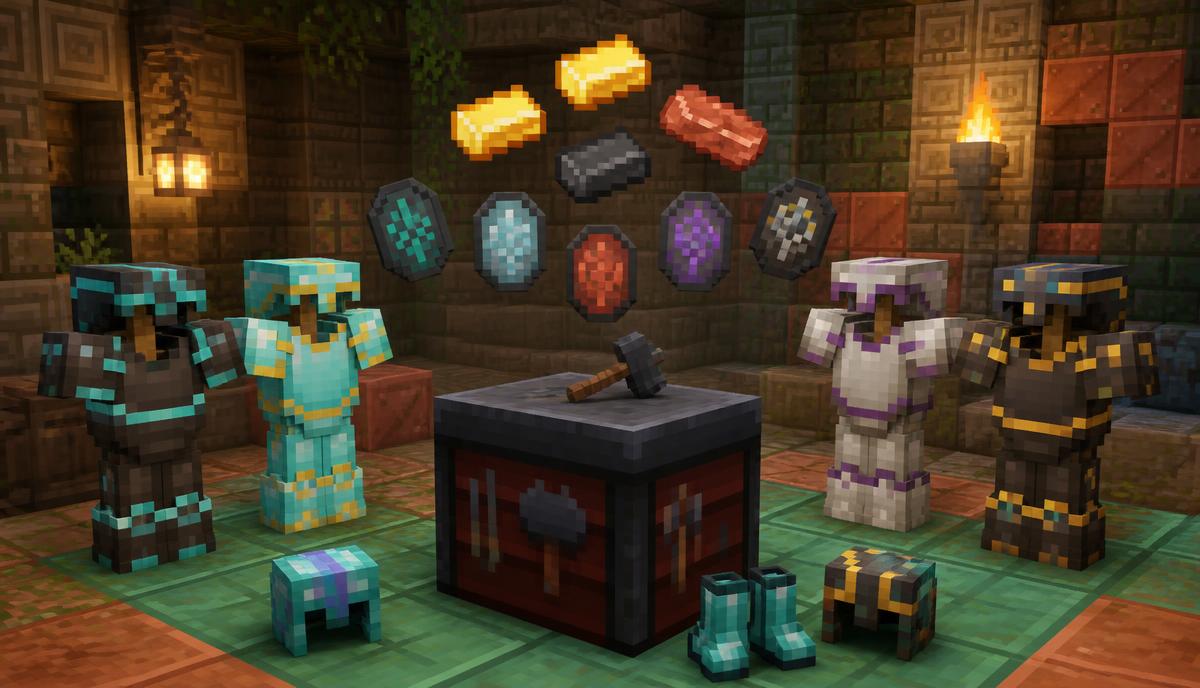
Armor trims are Minecraft's way of letting you personalise gear without touching a resource pack. You take a smithing template you looted from a structure, drop your helmet, chestplate, leggings, or boots into a smithing table with a material like gold or amethyst, and the armor comes out with a coloured pattern baked into its texture. Everything below covers where every template spawns, what each material looks like, and the mistakes that waste templates.
What armor trims actually do
Nothing mechanical. A trimmed netherite chestplate protects exactly as much as an untrimmed one, weighs the same, and enchants the same way. Trims exist for identity: team colours on a server, a themed set for a build, or just so your gear does not look like everyone else's. Because they are cosmetic, you can trim early-game iron armor without wasting anything valuable except the material.
One small caveat worth knowing: trimmed armor keeps its trim through enchanting, anvil repair, and mending. Combining two trimmed pieces on an anvil keeps the trim of the left-hand item.
How to apply an armor trim step by step
- Craft a smithing table with 2 iron ingots on the top row and 4 planks below them, or take one from a toolsmith's house in a village.
- Open the table. You will see three input slots: template, armor, material.
- Place your smithing template in the left slot.
- Place the helmet, chestplate, leggings, or boots in the middle slot.
- Place one trim material ingot, crystal, or gem in the right slot.
- Drag the finished piece out of the result slot. The template is consumed; the armor keeps every enchantment it had.
The process is identical on Java and Bedrock, and the same smithing table also handles netherite upgrades using the Netherite Upgrade Smithing Template. That upgrade template is not a trim, even though it lives in the same interface.
All 18 smithing templates and where to find them
Each template is tied to a structure, and most are chest loot rather than guaranteed drops. Use the Structure Finder to get coordinates for the biome-locked ones instead of wandering.
Overworld surface structures
- Coast: shipwreck supply and treasure chests. Common and usually the first trim players find.
- Dune: desert pyramid chests, alongside enchanted golden apples and TNT traps.
- Sentry: pillager outpost chests on any floor of the tower.
- Wild: jungle temple dispenser-trap chests.
- Rib: nether fortress chests, so pack fire resistance.
- Snout: bastion remnant chests, most reliably in the treasure and bridge variants.
Underground and deep structures
- Ward: ancient city chests in the deep dark. Sneak the whole time or you will meet the Warden.
- Silence: ancient city chests as well, and the rarest template in the game at roughly a 1.2 percent chance per chest.
- Eye: stronghold library and altar chests.
- Vex: woodland mansion chests, guarded by evokers and vindicators.
- Tide: ocean monument elder guardian drops, at about a 20 percent rate with no looting.
- Spire: end city chests in the outer End islands.
Trial chamber templates (1.21 and later)
- Bolt: trial chamber reward vaults, and the only template that uses copper as its signature look.
- Flow: ominous trial chamber vaults, obtained by drinking or applying an ominous bottle before opening.
- Wayfinder, Shaper, Raiser, and Host: trail ruins suspicious gravel, brushed out with a brush.
Every trim material and the colour it gives
- Iron ingot: pale silver grey. Reads well on dark netherite.
- Copper ingot: warm orange brown, the best match for trial chamber themed sets.
- Gold ingot: bright yellow, the most visible trim on diamond armor.
- Lapis lazuli: deep muted blue.
- Emerald: strong green with a slight shimmer.
- Diamond: pale cyan, subtle on iron and striking on netherite.
- Netherite ingot: near black, only visible on light armor.
- Redstone dust: deep red.
- Amethyst shard: soft violet.
- Quartz: bright white and the cleanest high-contrast option overall.
There is one hidden rule worth memorising: when the trim material matches the armor material, the game uses a darker shade instead. A diamond trim on diamond armor looks muted rather than bright, so cross-pair materials when you want contrast.
How to duplicate armor trim templates
Templates are consumed on use, but they can be copied indefinitely. Place the template you want to copy in the left smithing table slot, 7 diamonds in the middle slot, and the structure block that matches the template in the right slot. You get the original back plus one copy.
- Coast, Dune, Wild, Sentry, Eye, Vex, Rib, Snout: cobblestone as the copy block.
- Ward, Silence: cobbled deepslate.
- Tide: prismarine.
- Spire: purpur block.
- Bolt, Flow: copper block or breeze rod recipes depending on version, with copper being the standard.
- Wayfinder, Shaper, Raiser, Host: terracotta.
Because duplication only costs diamonds and a cheap block, treat your first copy of any template as a master. Duplicate it before you spend it, and you will never have to raid a woodland mansion twice.
Can you remove or change an armor trim?
You cannot remove a trim. A grindstone strips enchantments but leaves the pattern, and crafting-grid repair does not clear it either. What you can do is overwrite it: run the piece through a smithing table again with a different template and material, and the new trim replaces the old one completely. The only true reset is crafting a fresh armor piece.
Plan the look before you spend a rare template. Overwriting works, but every overwrite costs another template.
Best armor trim combinations to copy
- Silence trim with netherite material on netherite armor: the closest thing to an endgame flex, and the rarest pairing in the game.
- Ward trim with amethyst on diamond armor: deep dark themed and very readable in low light.
- Bolt trim with copper on iron armor: cheap, cohesive, and perfect for early trial chamber runs.
- Spire trim with quartz on netherite armor: high contrast white on black that stays visible at distance in PvP.
- Coast trim with gold on chainmail: an underrated early-game look that costs almost nothing.
Common mistakes that waste templates
- Applying a template before duplicating it. Always copy first.
- Trimming armor you plan to replace next week instead of your final enchanted set.
- Pairing a material with matching armor and being surprised the colour looks flat.
- Assuming a trim adds protection and skipping proper enchantments as a result.
- Brushing trail ruins gravel with your hand instead of a brush, which destroys the loot.
Plan your trim hunt with the right tools
Most of the time spent collecting trims is travel, not combat. Feed your world seed into the Structure Finder to pin down strongholds, monuments, and mansions, use the Trial Chamber Finder for bolt and flow runs, and route long trips through the Nether with the Nether Portal Calculator. Collect two or three templates per expedition rather than one at a time.