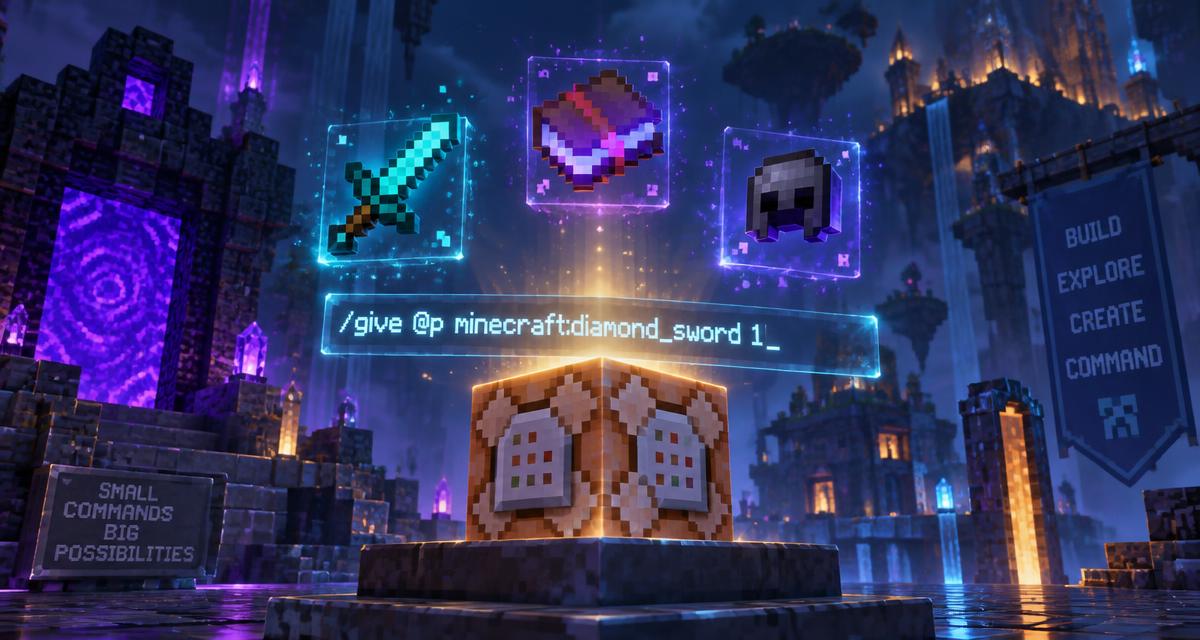
The /give command looks simple until you need an enchanted, renamed, lore-tagged item with custom durability — and then a single missing bracket returns a red error you cannot read. This guide walks through the full modern syntax for Java and Bedrock, explains item components, gives you copy-ready examples for the items people actually ask for, and shows how the free give command generator on MineBuildr builds those strings for you without typos.
The short answer
Give command syntax explained
Every /give command has three parts and one optional fourth:
- /give — the command itself, typed in chat or placed inside a command block.
- <target> — who receives the item, written as a target selector or a player name.
- <item> — the namespaced item ID, such as minecraft:netherite_ingot. The minecraft: prefix is optional in chat but good practice.
- [count] — optional. Defaults to 1 if omitted. Java accepts up to 6400 in a single command.
So the minimal working command is /give @s dirt, and the fully explicit version of the same thing is /give @s minecraft:dirt 1.
Target selectors
- @p — the nearest player. The safest default when running a command from a command block.
- @s — the entity running the command, which is you when typing in chat.
- @a — every player on the server. Useful for event rewards and starter kits.
- @r — one random player.
- PlayerName — an exact username, case sensitive on Java.
Selectors accept arguments in square brackets too. /give @a[distance=..20] minecraft:bread 16 gives bread only to players within 20 blocks, which is how most minigame reward systems are wired.
Enabling commands first
- Single-player: open the pause menu, choose Open to LAN, set Allow Cheats to On and start the LAN world. This enables commands for the session without editing the save.
- New world: tick Allow Cheats in the world creation screen under More World Options.
- Realms: the owner and operators can run /give by default; other members cannot.
- Multiplayer server: you need operator permission level 2 or higher. Run op YourName from the server console, or add your UUID to ops.json.
- Command block: place a command block with /give @p command_block, set it to Impulse and Needs Redstone, and paste the command without the leading slash.
Item components: the modern Java syntax
Minecraft 1.20.5 removed the old {display:{Name:...}} NBT blob from item commands and replaced it with item components written in square brackets directly after the item ID. If you copy a command from a tutorial written before 2024 and it errors, this is almost always why.
The shape is: /give <target> <item>[component1=value,component2=value] [count]
- enchantments={sharpness:5,unbreaking:3} — applies enchantments, including levels above the survival maximum.
- custom_name='{"text":"Excalibur","color":"gold"}' — renames the item with colour and formatting.
- lore=['{"text":"Forged in the Nether"}'] — adds italic description lines under the name.
- damage=100 — sets used durability on a tool.
- max_stack_size=64 — overrides how high the item stacks.
- unbreakable={} — makes a tool never lose durability.
- custom_model_data=3 — targets a resource pack model variant.
Components combine with commas inside one set of brackets. Nested values use curly braces, and JSON text values need quotes — which is exactly where hand-typed commands break.
Legacy NBT (1.20.4 and older)
Older Java versions used a trailing NBT compound: /give @p diamond_sword{Enchantments:[{id:sharpness,lvl:5}]} 1. That syntax is rejected on current versions. Check your version in the bottom-left of the title screen before copying commands from an old video.
Ready-to-copy give command examples
These are written for current Java Edition. Paste them into chat with cheats enabled.
Basic items
- /give @p minecraft:diamond 64 — a full stack of diamonds.
- /give @p minecraft:netherite_ingot 8 — enough for a full armour upgrade set.
- /give @p minecraft:elytra 1 — a fresh pair of elytra.
- /give @p minecraft:command_block 1 — the only reliable way to obtain a command block.
- /give @a minecraft:cooked_beef 32 — food for everyone online.
Enchanted gear
- /give @p minecraft:diamond_sword[enchantments={sharpness:5,looting:3,unbreaking:3,mending:1}] 1
- /give @p minecraft:diamond_pickaxe[enchantments={efficiency:5,fortune:3,unbreaking:3,mending:1}] 1
- /give @p minecraft:netherite_chestplate[enchantments={protection:4,unbreaking:3,mending:1}] 1
- /give @p minecraft:bow[enchantments={power:5,infinity:1,flame:1,unbreaking:3}] 1
- /give @p minecraft:trident[enchantments={loyalty:3,impaling:5,channeling:1}] 1
Command enchantments ignore the survival level caps, so enchantments={sharpness:255} is valid and absurd. If you want a legitimate survival loadout instead, our best sword enchantments guide and the enchanting calculator cover the realistic route.
Custom named and lore items
- /give @p minecraft:golden_apple[custom_name='{"text":"Hero Ration","color":"gold","italic":false}'] 3
- /give @p minecraft:stick[custom_name='{"text":"Wand of Nothing","color":"light_purple"}',lore=['{"text":"It really does nothing","color":"gray"}']] 1
- /give @p minecraft:iron_axe[custom_name='{"text":"Woodsman"}',damage=50,unbreakable={}] 1
Colour names follow the same palette as chat formatting codes. Our colour codes cheat sheet and the colour code tool list every valid value with previews.
Potions, spawn eggs and player heads
- /give @p minecraft:potion[potion_contents={potion:"minecraft:strong_swiftness"}] 1
- /give @p minecraft:splash_potion[potion_contents={potion:"minecraft:strong_healing"}] 1
- /give @p minecraft:creeper_spawn_egg 5
- /give @p minecraft:player_head[profile="Notch"] 1
Potion IDs use long, strong and plain prefixes rather than level numbers. If you would rather brew them properly, the brewing calculator lists ingredient order for every potion.
Give command on Bedrock Edition
Bedrock uses a different, simpler format and does not accept Java component brackets:
/give <player> <itemName> [amount] [data] [components]
- /give @p diamond_sword 1 — works identically to Java for plain items.
- /give @p wool 16 14 — the fourth value is the data value, here red wool.
- Bedrock cannot apply enchantments through /give. Use /enchant @p sharpness 5 after the item is in hand, or a structure or behaviour pack for pre-enchanted items.
- Bedrock has no custom_name component on /give. Rename items on an anvil or use /replaceitem with a behaviour pack.
Why commands fail and how to fix them
- Unknown item — the ID is misspelled or renamed between versions. Item IDs are lowercase with underscores: minecraft:light_blue_dye, never minecraft:LightBlueDye.
- Expected whitespace — you left a space inside a component block. Remove every space inside the square brackets.
- Unbalanced brackets — count the opening and closing brackets and braces. This is by far the most common failure with hand-typed commands.
- Unknown or incomplete command — cheats are off, you lack operator permission, or the syntax belongs to another edition or version.
- Nothing happens — you used @p from a command block with no player nearby, or the count exceeded the 6400 limit.
- Item appears but is not enchanted — you used legacy NBT on a 1.20.5+ world, or you are on Bedrock where /give cannot enchant.
Using the free give command generator
The MineBuildr command generator builds both /give and /summon commands visually so the syntax is correct the first time.
- Open the command generator — it runs in the browser, needs no account and is free.
- Pick the command type: give for items, summon for mobs.
- Choose the target selector, item and count.
- Add enchantments and levels from the list, and type a custom display name if you want one.
- Copy the generated command with one click and paste it into chat or a command block.
If you would rather describe what you want in plain English, the command assistant turns a sentence like give me a fireproof pickaxe that mines instantly into a working command with an explanation. The full set of free utilities is listed on the free Minecraft tools page.
Practical uses for /give
- Starter kits — one command block per player spawn hands out a kit on a minigame map.
- Testing builds — grab a stack of a block in creative without hunting the inventory menu.
- Adventure maps — custom named items with lore act as quest keys and readable props.
- Server rewards — /give @a bundles work for events, voting rewards and milestone drops.
- Recovering lost gear — replace an item lost to a lava death without cheating in extra progress.
- Datapack development — test recipe output quickly; the datapack generator scaffolds the rest.
Quick reference
- Syntax: /give <target> <item> [count]
- Java 1.20.5+: components in square brackets after the item ID.
- Java 1.20.4 and older: NBT in curly braces after the item ID.
- Bedrock: /give <player> <item> [amount] [data], no enchantments or custom names.
- Max count per command on Java: 6400.
- Requires cheats on, or operator level 2.
- Selectors: @p nearest, @s self, @a all, @r random.
Most broken commands are not wrong ideas. They are one bracket away from working.